

A Platform Built for How Businesses Actually Work
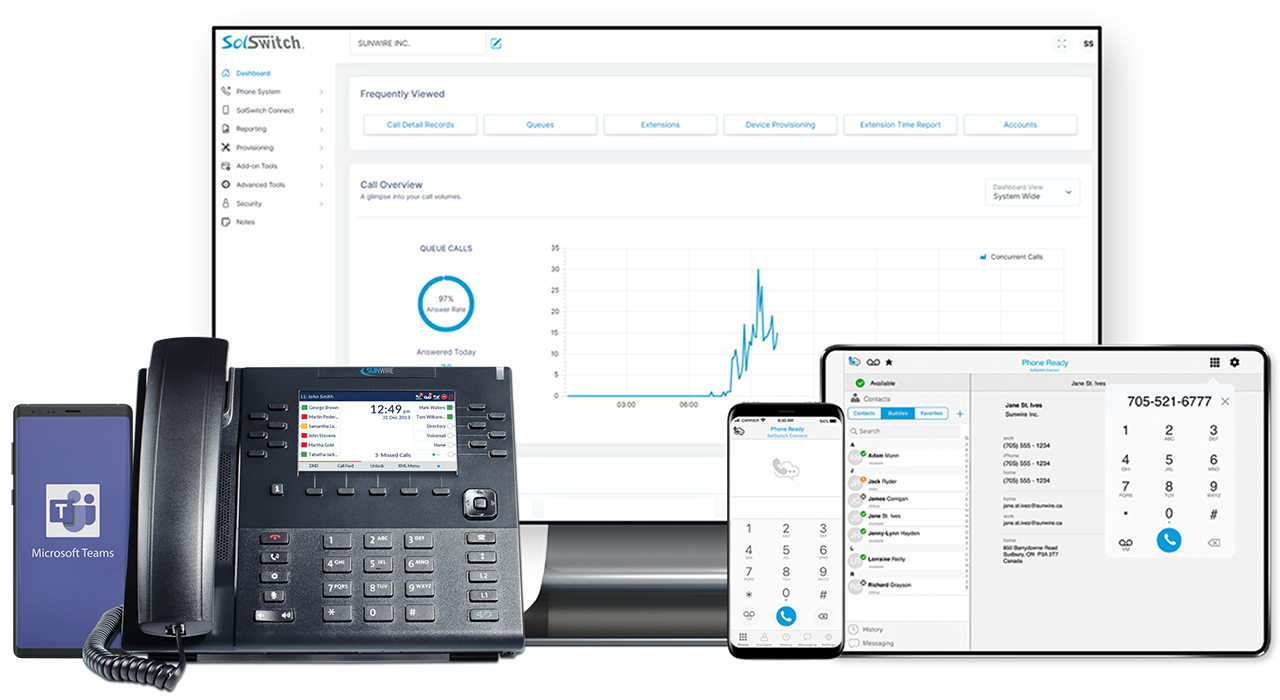
SolSwitch is a full communications platform - call routing, AI transcription, multichannel queuing, business texting and a softphone app - available hosted in the cloud or installed on-premise.
- 24/7 In-House Support
- Proudly Canadian
- Cloud · On-Prem · Hybrid
- Protected by SolSwitch Guardian
Emergency Support
Sunwire
& Hybrid
SolSwitch Guardian
Canadian
More Than a Phone System
SolSwitch replaces the traditional PBX with a single integrated platform for calls, texts, fax, queuing and AI-powered transcription - all managed from one web portal your team can configure without vendor support.
Built by Sunwire and protected by SolSwitch Guardian — built-in SIP security that blocks unauthorized access, SIP floods and toll fraud on every deployment. Whether you're a five-person office or a multi-site enterprise, SolSwitch scales to match and grows with every platform release.
See All FeaturesSingle Number
One number for calls and texts.
Business Texting
SMS/MMS on your business number.
AI Automation
Transcription, TTS & IVR speech.
Multichannel Queuing
Calls, SMS, webchat & Meta in one queue.
Developer APIs
CRM, ERP & custom integrations.
Reliable & Secure
SolSwitch Guardian SIP security.
Scalable
Startup to enterprise.
Fully Customizable
Every routing, every rule.
Cloud or On-Premise
Hosted or on-site - your choice.
WHAT SOLSWITCH DOES
Everything Your Team Needs in One Platform
A look at what the SolSwitch platform can do. Every capability is available on all hosted plans - some are included, others available as add-ons.
Advanced Call Routing
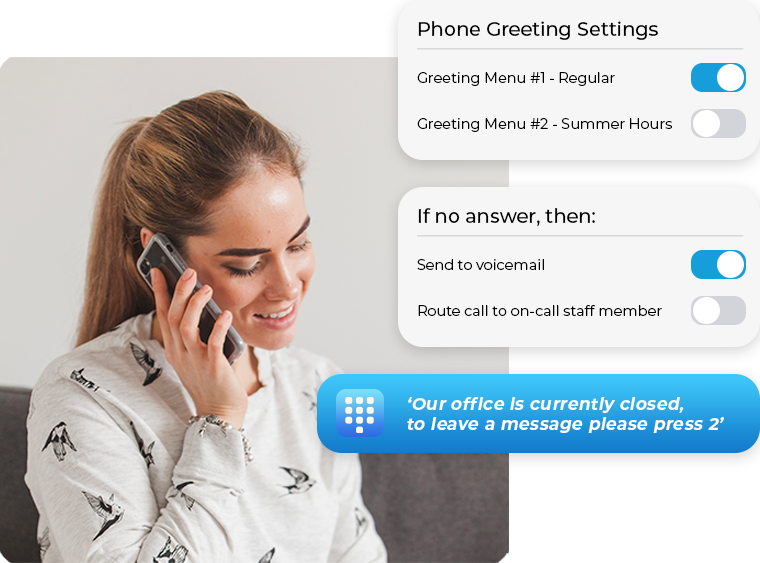
Auto-attendants, skill-based routing and time rules send every call to the right place - configured in the portal, no support ticket needed.
IVR with speech recognition
Skill-based routing
Find-me follow-me
Time-of-day & holiday rules
Multichannel Queuing (MCQ)
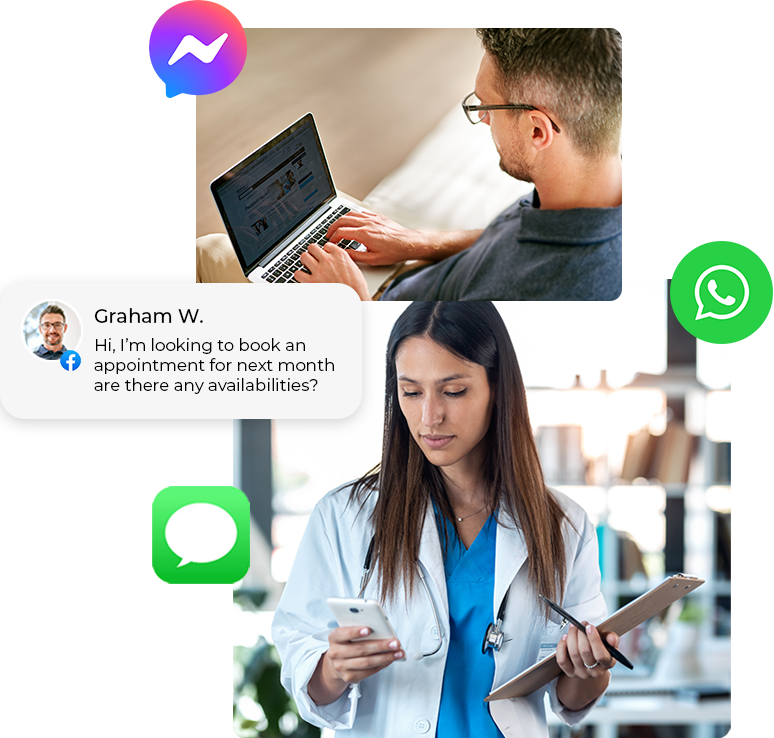
Handle SMS, webchat and Meta messages in the same queue as calls - one unified inbox, no channel-switching.
SMS/MMS, webchat & Meta (FB/IG)
Skill-based routing across channels
Unlimited MCQ on Enterprise+
Business Texting (SMS/MMS)
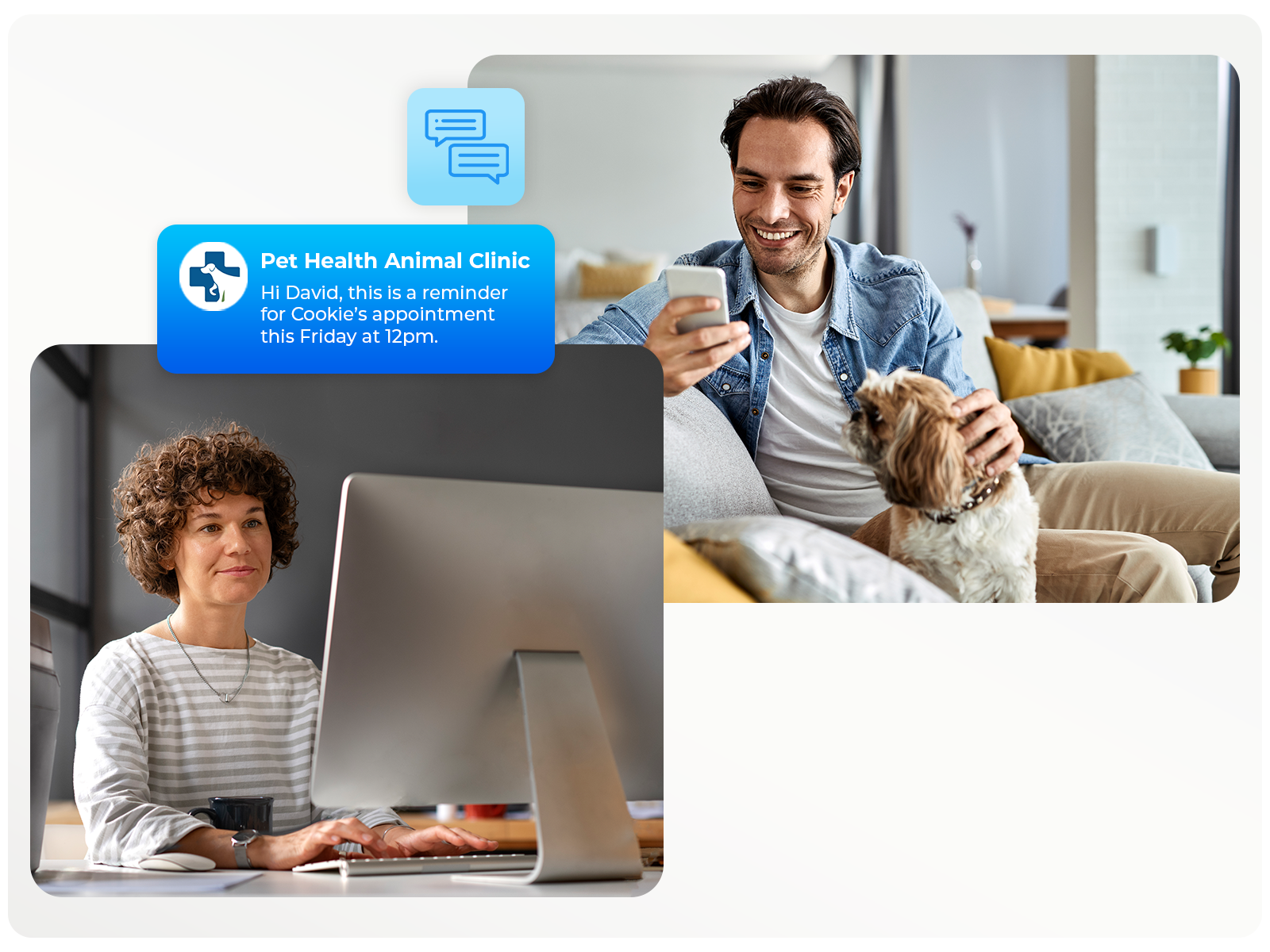
Send and receive SMS/MMS on your business number or short codes - a distinct offering, fully facilitated through SolSwitch so texts and calls live together.
Text from your business number
Short codes for high-volume SMS
Queued alongside calls & chat
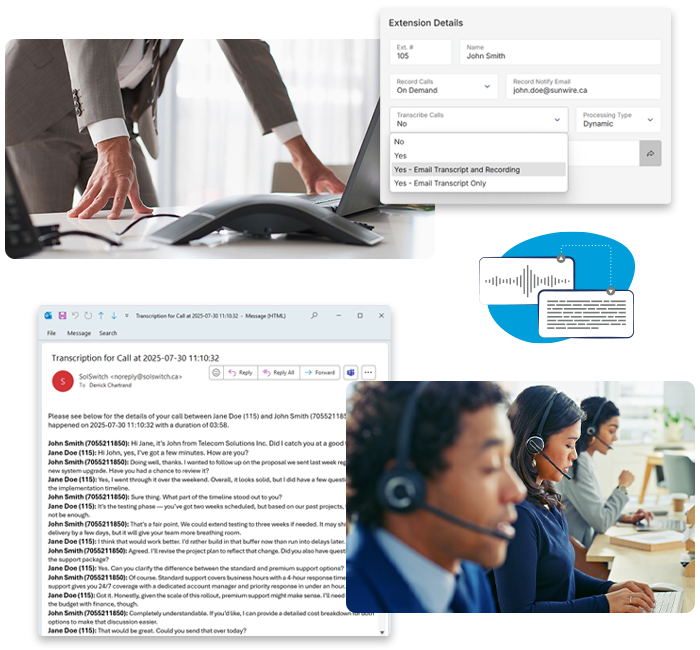
AI-Powered Tools
Voicemail transcription, call transcription, text-to-speech and IVR speech recognition - built into the platform.
Voicemail transcription to email
Urgent & non-urgent call transcription
Text-to-speech & vocal dial-by-name
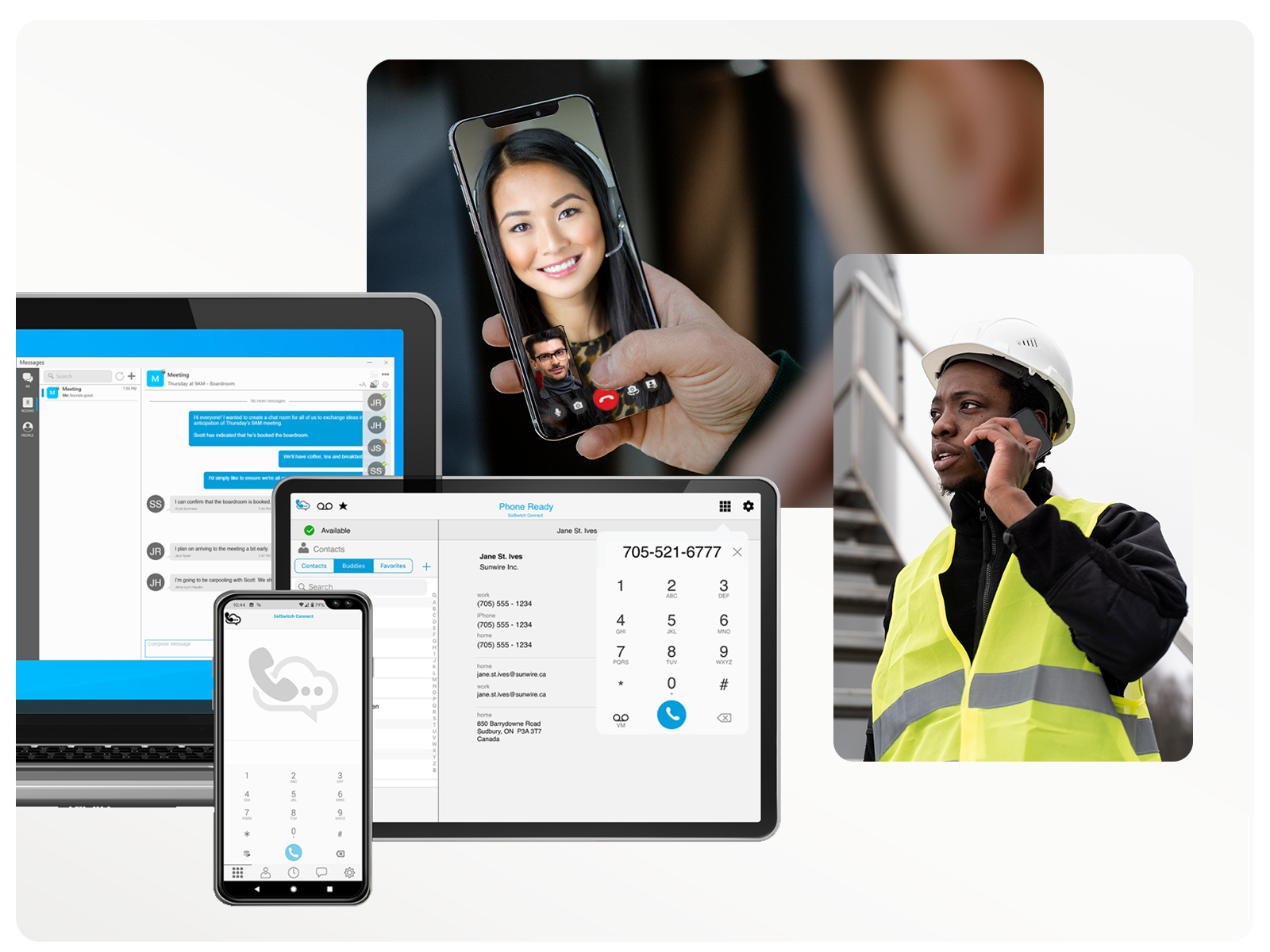
SolSwitch Connect Softphone
Call, chat and text on your business number from any iOS, Android, Windows or macOS device. Included with Enterprise+.
iOS, Android, Windows & macOS
IM and SMS with colleagues
No personal number exposed
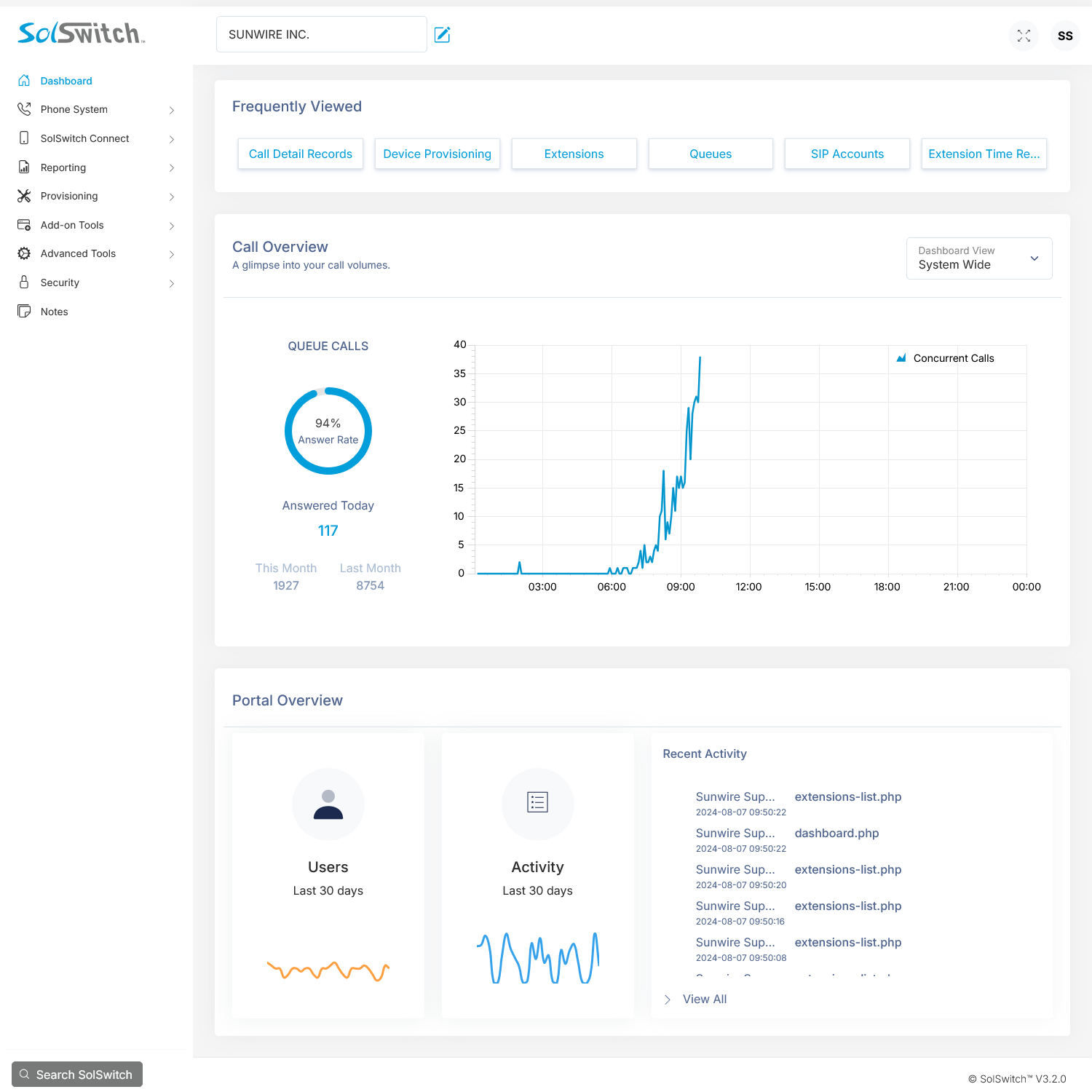
Self-Serve Administrator Portal
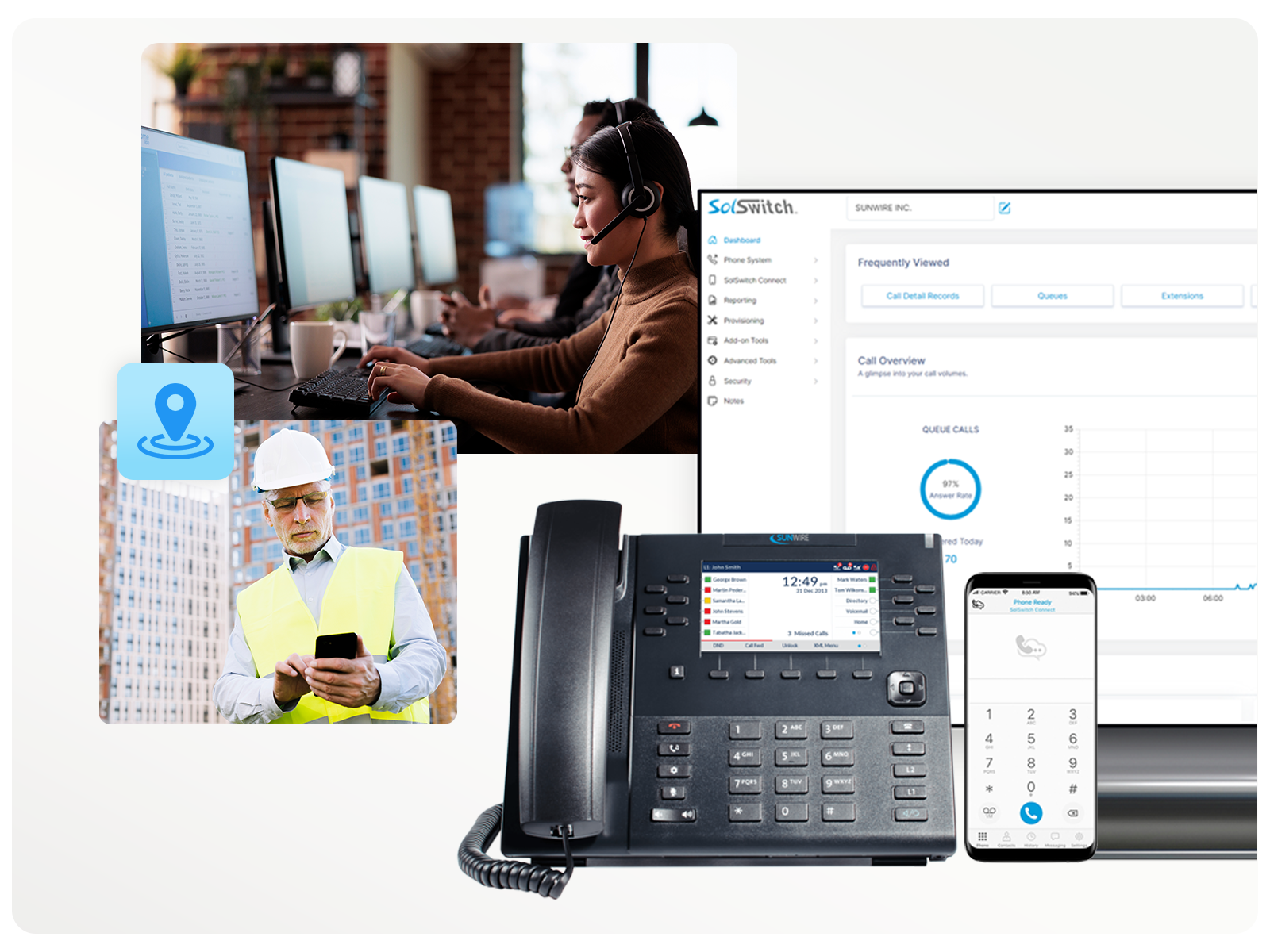
Add extensions, configure routing, run CDR reports, monitor live calls and manage users - all from a browser.
Live call monitoring & coaching
CDR report builder & queue graphs
Role-based portal permissions

Queues & Callbacks
Route callers to the right team with skill-based queues, offer automated callbacks so they keep their place in line, and track everything with live agent and queue stats.
Unlimited skill-based queues
Automated queue callbacks
Live agent & queue stats
Post-call surveys
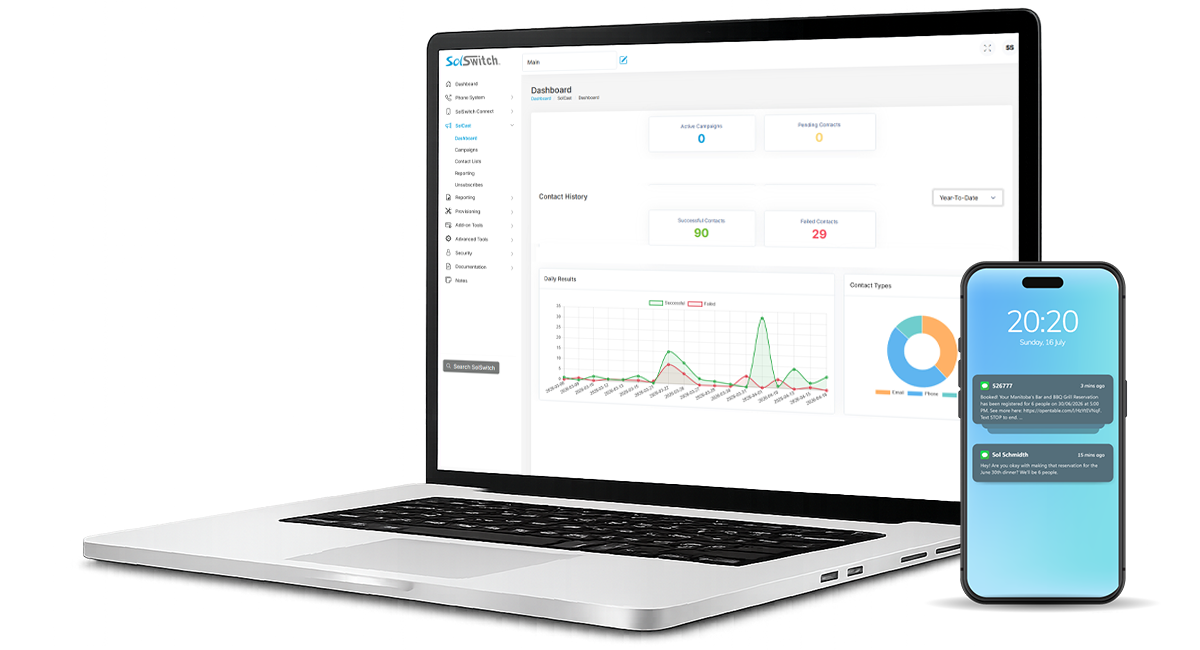
SolCast Outbound Broadcasting
Reach your contacts at scale with SolCast - build automated phone, SMS and email campaigns and track delivery, all from the same platform.
Automated voice, SMS & email blasts
Contact lists & scheduling
Real-time delivery reporting
HOW IT WORKS
Designed Around Your Whole Team
AI TOOLS
Your Calls, Transcribed and Delivered
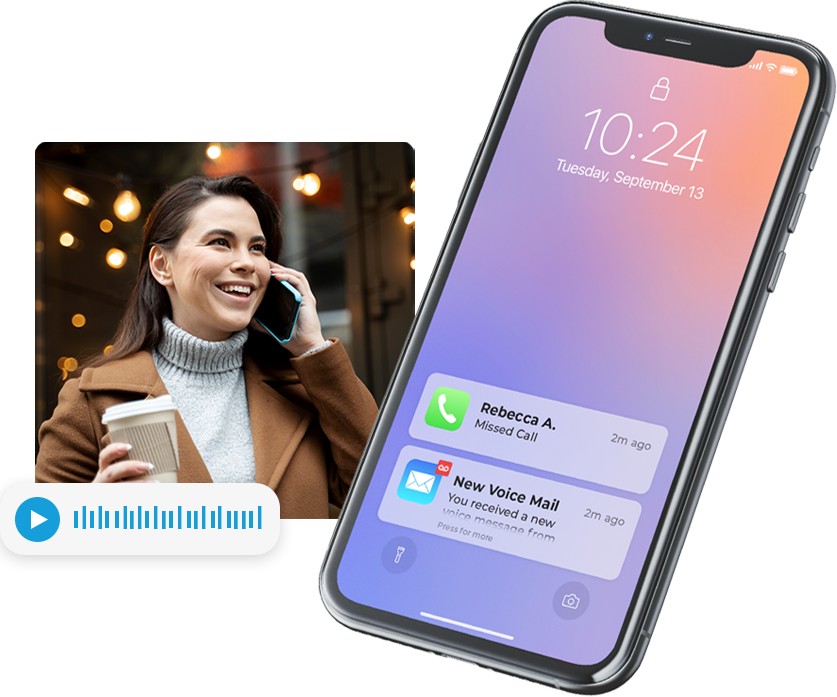
SolSwitch transcribes voicemails and full call recordings - delivered to email - so your team never misses what was said. Urgent transcriptions are prioritised; non-urgent queue within 24 hours.
Voicemail transcription to email - all plans
Urgent call transcription · 100–250 min included
Non-urgent · 500–1,250 min included
Unlimited AI tools on Enterprise+
SIMPLE ADMINISTRATION
The Same Platform, Wherever It Runs
SolSwitch runs identically in Sunwire's cloud or on a hardware appliance at your location, and every site is managed from one self-serve web portal. Switch deployment models without retraining your team - your routing, users and settings travel with you.
One web portal across all locations
Cloud hosted - no hardware, predictable per-user billing
On-premise (SS1000 / SS4000) - full data control
Hybrid - cloud failover for on-prem sites
SOLSWITCH CONNECT
Your Office Phone, in Your Pocket
SolSwitch Connect (SSC) is the iOS, Android, Windows and macOS softphone that keeps your team reachable on their business number - at the office, at home or on the road. Call, chat and text from one app, with no personal number ever exposed to customers.
iOS, Android, Windows & macOS apps
IM and SMS included with Connect + IM tier
Included free with Enterprise+
HOSTED PRICING
Simple Per-User Plans
All cloud hosted plans include every SolSwitch feature. You're choosing call minutes, AI usage and add-ons - not which features you get.
SOLSWITCH PRO
/mo. per user
Unlimited local calling & all platform features.
Unlimited local calling (2 concurrent)
Includes DID (phone number)
Admin portal & all reporting
24/7 emergency support
All SolSwitch features included
Add-ons available - full pricing →
SOLSWITCH PRO+
/mo. per user
Unlimited NA calling & bundled AI minutes.
Everything in Pro
Unlimited North America calling
Unlimited toll-free & call recording
Unlimited virtual faxing
100 min voicemail + 500 min transcription
SOLSWITCH ENTERPRISE+
/mo. per user
Unlimited AI, Connect & multichannel messaging.
Everything in Pro+
SolSwitch Connect or MS Teams included
Unlimited SMS/MMS & MCQ messaging
Unlimited voicemail & text-to-speech
1,250 min non-urgent + 250 min urgent
On-premise? See SS1000 and SS4000 appliance pricing → · All prices in CAD
EVERY FEATURE
The SolSwitch Feature Set
A selection of what's included across all hosted plans. On-premise customers access the same feature set via licence.
Call Routing
- IVR / Auto-Attendant
- AI-Powered Smart IVR
- Skills-Based Routing
- Caller ID Routing
- Caller Priority
- Scheduled Call Routing
- Time Rules
- Find-Me Follow-Me
- DID Routing
Call Features
- Call Recording
- Call Parking
- Call Hold & Call Waiting
- Blind & Attended Transfer
- Three-Way Calling
- Intercom & Paging Groups
- Speed Dial
- Call Forwarding
- Inbound Call Blocking
- Do Not Disturb (DND)
- E911 & 911 Notifications
Extensions & Devices
- Unlimited Extensions
- Virtual Extensions
- Ring Groups
- Roaming Extensions
- Device Provisioning
- VoIP desk phones & softphones
- Phone rentals (3-year terms)
- Hospitality / Hotel Management
- Role-Based Portal Permissions
Queuing
- Queues with Advanced Settings
- Queue Callbacks
- Queue Customization
- Skills-Based Queue Routing
- Caller Priority
- Post-Call Surveys
- Call Reason Codes
- Music on Hold
- Live Queue Stats
Texting & Messaging
- Business SMS/MMS Texting
- SMS Management
- Multichannel Messaging (MCQ)
- Webchat & Meta (FB/IG)
- Desktop & Mobile IM
- Short Codes
AI Tools
- AI-Powered Smart IVR
- IVR Speech Recognition
- Vocal Dial-by-Name
- Voicemail Transcription
- Call Transcription (urgent & non-urgent)
- AI Text-to-Speech Recordings
Voicemail, Fax & Recordings
- Voicemails
- Voicemail-to-Email & Transcription
- Fax-to-Email
- Outbound PDF to Fax
- Virtual Faxing
- System Recordings
- Call Recording Storage
Reporting & Monitoring
- CDR Report Builder
- Call Detail Records
- Live Real-Time Presence
- Queue Graphs & Breakdown Reports
- Current Call Report
- Extension Time Report
- Extension & Trunk Usage Reports
- SIP Ping Monitor
- Call Monitoring & Coaching
- Scheduled Reporting
- Queue Service Level (SLA) Reports
Unified Comms & Integrations
- SolSwitch Connect Softphone
- Microsoft Teams Direct Routing
- Meet-Me Conference Rooms
- SolCast Outbound Broadcaster
- Click-to-Dial
- Developer API (API Details)
- Custom Scripting
- Custom Integrations (any CRM/ERP/SaaS)
Need Something Custom?
This is just a selection - SolSwitch includes many more features. And because Sunwire builds and maintains the platform in-house, we can develop entirely new features and custom capabilities specifically for your business. Building exactly what our clients need is how the whole system came to be.
Book a Demo Talk to Our TeamDEPLOYMENT OPTIONS
Cloud, On-Premise, or Hybrid - Your Call
SolSwitch runs the same platform regardless of where it lives. The deployment you choose depends on your infrastructure, compliance needs and budget.
Cloud Hosted
Sunwire hosts everything. No on-site server to buy, maintain or replace.
No hardware to manage or replace
Fast deployment - days, not weeks
Remote and hybrid-friendly
Automatic access to every new release
Predictable per-user monthly billing
On-Premise
SolSwitch runs on a Sunwire appliance installed at your site or data centre.
Full control over hardware and data
Works with any carrier or SIP trunk
Meets strict compliance requirements
Resilient even if internet is interrupted
Lower long-term total cost of ownership
Hybrid
Critical sites stay local; lighter locations run in the cloud - all on one platform.
Cloud failover for on-premise sites
Multi-site, single admin portal
Balance flexibility and resilience
Migrate at your own pace
No platform retraining when you move
On-Premise vs Cloud at a Glance
| Consideration | On-Premise SolSwitch | Cloud SolSwitch |
|---|---|---|
| Data & Call Control | Call data and configuration hosted inside your environment. | Hosted in Sunwire data centres and managed as a service. |
| Network Integration | Deep integration with LAN/WAN, firewalls, QoS and private circuits. | Minimal on-site infrastructure; ideal for remote/distributed teams. |
| Business Continuity | Local survivability, on-site trunks and HA options per site. | Geo-redundant cloud infrastructure and DR options. |
| Cost Model | CapEx hardware + lower ongoing fees; designed for lower TCO over time. | Predictable per-user monthly billing, fewer hardware costs. |
| Best For | Compliance-heavy, on-site IT, or locations needing local survivability. | Organizations wanting minimal infrastructure and rapid scaling. |
INTEGRATIONS
Works With the Tools You Already Use
SolSwitch connects to leading CRMs, dispatch systems and productivity platforms - and our own software team can build whatever else you need.
Microsoft Teams
Use Teams as your office phone via SolSwitch Direct Routing. Make and receive business calls directly inside Teams on any device - no desk phone required.
Click-to-Dial
Dial any number on screen with one click
TaxiCaller
Integrated dispatch for taxi & transport
CallTheory WTCP
Workforce & call centre management
Northern911
Address info for E911 emergency dispatch
Custom Integrations
SolSwitch isn't limited to a fixed list. We have our own software team - using the developer API and a low-code custom scripting engine, we can integrate SolSwitch with virtually any CRM, ERP or SaaS your business runs on.
RESOURCES
Documentation, Roadmap & Release Notes
SolSwitch is actively developed. Everything you need to understand, configure and plan around the platform lives here.
Admin Guide
Full documentation for SolSwitch administrators - user management, routing configuration, reporting and every platform feature.
Open admin guidePublic Roadmap
See what features are planned, in development and coming in future SolSwitch releases. Updated as we ship.
View the roadmapRelease Notes
What changed in every SolSwitch release - new features, improvements and fixes across the platform.
Latest: v3.14.0 · May 5, 2026 See what's newFrequently Asked Questions
Quick answers to common SolSwitch questions.
SolSwitch is a full business communications platform built by Sunwire. It combines a PBX phone system with call queuing, AI transcription, multichannel messaging, business texting, a mobile/desktop softphone, and a self-serve admin portal - available cloud-hosted or on-premise.
While basic VoIP primarily provides voice calling over the internet, SolSwitch is a full Unified Communications platform. It combines voice, messaging (SMS, MMS, web & social chat), collaboration tools, queuing, advanced auto-attendants, analytics, and API integrations - all under one system that scales with your business.
Yes - because SolSwitch is internet-based, your team can make and receive calls, respond to messages, or manage the system from the office, home, on the road, or anywhere with a reliable internet connection. There's also a SolSwitch Connect softphone app for desktop and mobile (iOS/Android) so phones behave like office extensions even when remote.
You can use dedicated VoIP desk phones, softphones on your computer or mobile device (via SolSwitch Connect), and Microsoft Teams via direct routing. Many existing VoIP-compatible phones can be provisioned with your system if supported. Phone rental options are available on 3-year terms.
Yes. You can port (transfer) existing numbers from your previous provider into SolSwitch to keep your familiar numbers, and Sunwire can also provide new local, toll-free and SMS short-code numbers. You can keep your existing telecom provider during the transition and fully cut over to SolSwitch at your own pace once everything is configured and tested.
SolSwitch supports emergency calling, but because VoIP systems use internet connections, registered physical address information is usually required to ensure correct location routing. Make sure your SolSwitch emergency address is kept up-to-date in the admin portal; Sunwire integrates with Northern911 for address-information dispatch.
Sunwire prioritizes reliability and security: the platform follows enterprise-grade uptime/availability practices, and we are pursuing SOC 2 attestation (target 2027). Standard security features include SolSwitch Guardian — our built-in SIP security that blocks unauthorized access, SIP floods, brute-force login attempts and toll fraud — alongside encrypted transport, admin access control and ongoing monitoring to keep your communications safe. For on-premise deployments, data stays entirely within your environment.
Yes. SolSwitch includes built-in integrations for Click-to-Dial, CallTheory, TaxiCaller and Northern911. For other systems, our software team can build custom integrations using the developer API and a low-code custom scripting engine - connecting telephony features directly to your CRM, helpdesk or other business platforms.
More questions? Contact our team or check the support docs. · Hosted PBX FAQs → On-premise FAQs →
GET STARTED
Ready to Move Your Business to SolSwitch?
Whether you want a live demo, a custom quote, or just answers to specific questions - our team is ready to help you find the right setup.
Send Us a Message
We'll get back to you within one business day.